
Why Temporary Emails are the #1 Reason for High Hard Bounce Rates
Your signup numbers look great, but your bounce rates are skyrocketing. The culprit? Disposable emails that 'detonate' minutes after registration. Here is how to stop the sabotage.
Your signup list looks perfect at 10:00 AM, but by noon, your email service provider is sending you warnings. Those fresh leads did not just disappear. They detonated into hard bounces that are currently shredding your sender reputation behind the scenes.
You might think you captured a real audience for your new guide or software trial. The reality is that a significant portion of those users likely used a short-lived mailbox to bypass your gate. These addresses look valid for a few minutes but turn into permanent delivery failures the moment the user closes their browser tab.
The Bottom Line Up Front
Keeping your hard bounce rate under 2% is the primary goal for anyone serious about deliverability.
- Disposable emails turn into Hard Bounces (SMTP 5xx) immediately after they expire.
- Crossing the 3% bounce threshold often triggers throttling or blocking from major ISPs like Gmail and Outlook.
- High bounce rates signal to providers that your list acquisition practices are poor or automated.
- Annual data decay naturally invalidates 25 percent of your list, making proactive cleaning essential.
What Exactly Are Disposable Emails?
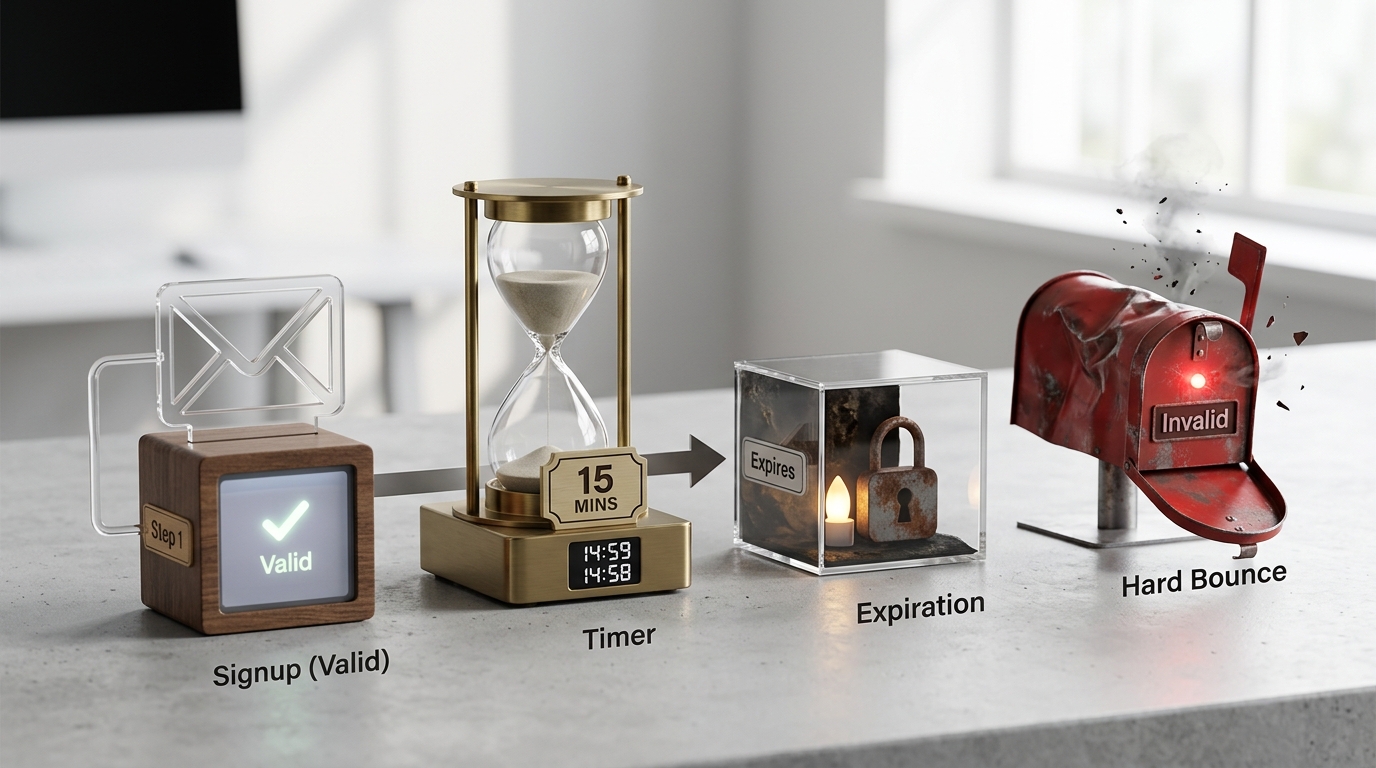
Disposable emails are short-lived mailboxes created to avoid spam or bypass registration gates. These addresses typically stay active for only 15 to 60 minutes before the service deletes the inbox. One major platform alone records 7 million hits every single month from users seeking these temporary solutions.
10MinuteMail
This service provides a classic 10-minute short-lived mailbox. It is often used to grab a verification code and then abandoned forever.
- Implementation: Monitor your logs for the
10minutemail.comdomain to see how many users are abandoning your funnel immediately. - Tradeoff: Users cannot recover their accounts or reset passwords if they use this service.
- Link: 10MinuteMail
Mailinator
Mailinator offers public inboxes that are frequently used to bypass lead gates. Anyone who knows the address can view the emails inside the inbox.
- Implementation: Block public domains like
mailinator.comat your signup form to force users toward private addresses. - Tradeoff: There is zero privacy for the user since these inboxes are accessible to anyone.
- Link: Mailinator
Guerrilla Mail
Addresses from this service last for 60 minutes. It allows users to send and receive emails without any form of registration.
- Implementation: Use a real-time detection tool to identify Guerrilla Mail domains, which often use custom subdomains to hide their origin.
- Tradeoff: Many security filters now flag these domains by default, leading to low delivery success.
- Link: Guerrilla Mail
Temp-Mail
This is a high-volume service that frequently rotates its domain names. It is much harder to block with static lists than other providers.
- Implementation: Check for rapid domain rotation patterns in your signup logs to identify new Temp-Mail variants.
- Tradeoff: The rapid rotation can sometimes block legitimate custom domains by accident if your filter is too aggressive.
- Link: Temp-Mail
Tip: Disposable emails provide a great service for privacy-conscious users, but they act as a lethal poison for marketing infrastructure.
How Temporary Emails Affect Bounce Rate and Reputation
When a temporary email expires, the server returns an SMTP 5xx error code. This tells the sending server that the address is permanently gone. If your total bounce rate hits 10%, your inbox placement can drop to as low as 40 percent because providers assume you are a spammer.
80% of deliverability issues start with a high bounce rate.
ISPs like Gmail and Outlook use these signals to determine your sender score. A sudden spike in hard bounces suggests that you are either buying lists or failing to verify your users. You can monitor your current domain standing using Google Postmaster Tools to see how these bounces affect your reputation in real time.
Hard Bounces vs. Soft Bounces: Why Disposables Are Worse
Understanding the difference between bounce types helps you protect your infrastructure. A hard bounce is a permanent wall, while a soft bounce is usually a temporary hurdle.
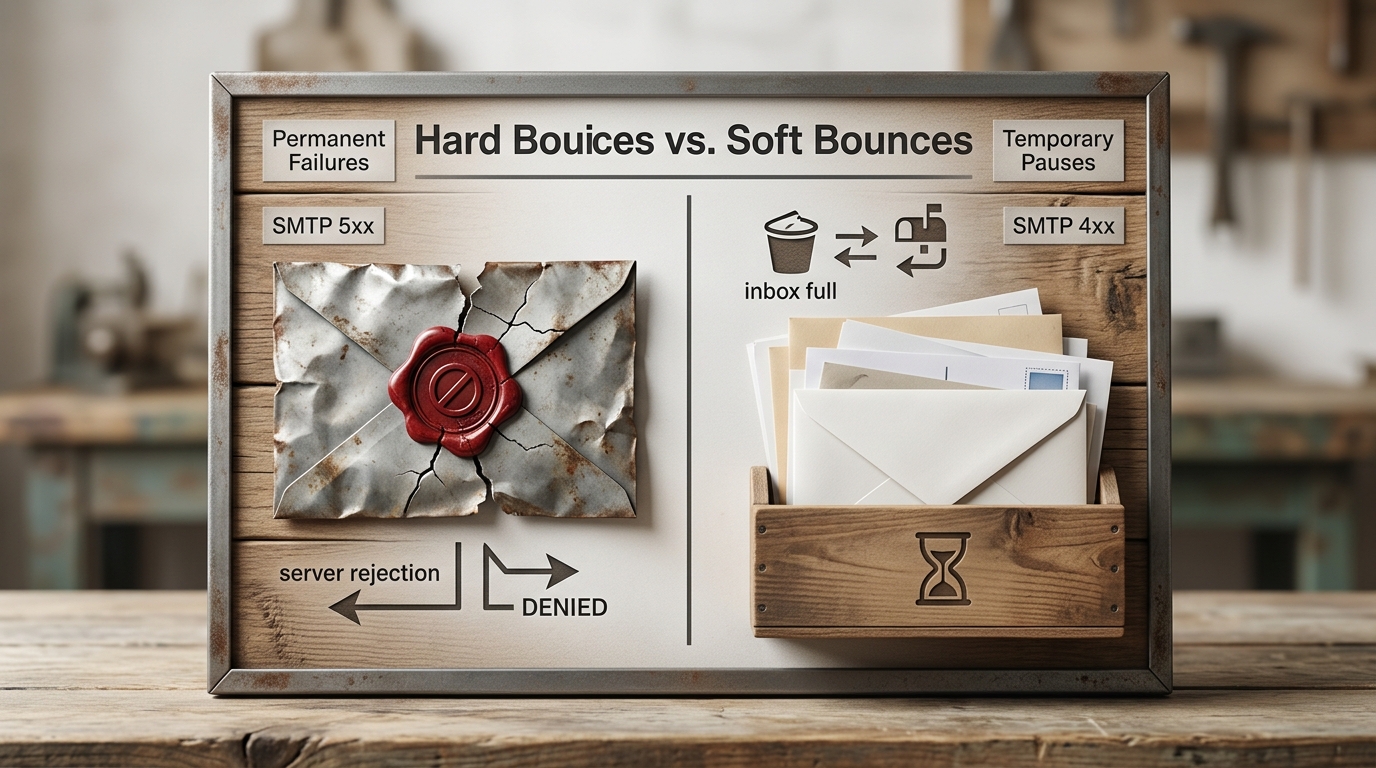
| Category | Hard Bounce | Soft Bounce |
|---|---|---|
| Nature | Permanent Failure | Temporary Issue |
| SMTP Code | 5xx | 4xx |
| Impact | Damages Reputation | Low Immediate Impact |
| Main Cause | Expired Disposable Email | Full Inbox or Server Down |
| Solution | Remove Immediately | Retry Sending Later |
The Playbook: 5 Steps to Block Disposable Email Bounces
Eliminating disposable email bounces requires a mix of real-time prevention and database hygiene. You cannot rely on manual cleaning if you want to keep your sender reputation high.
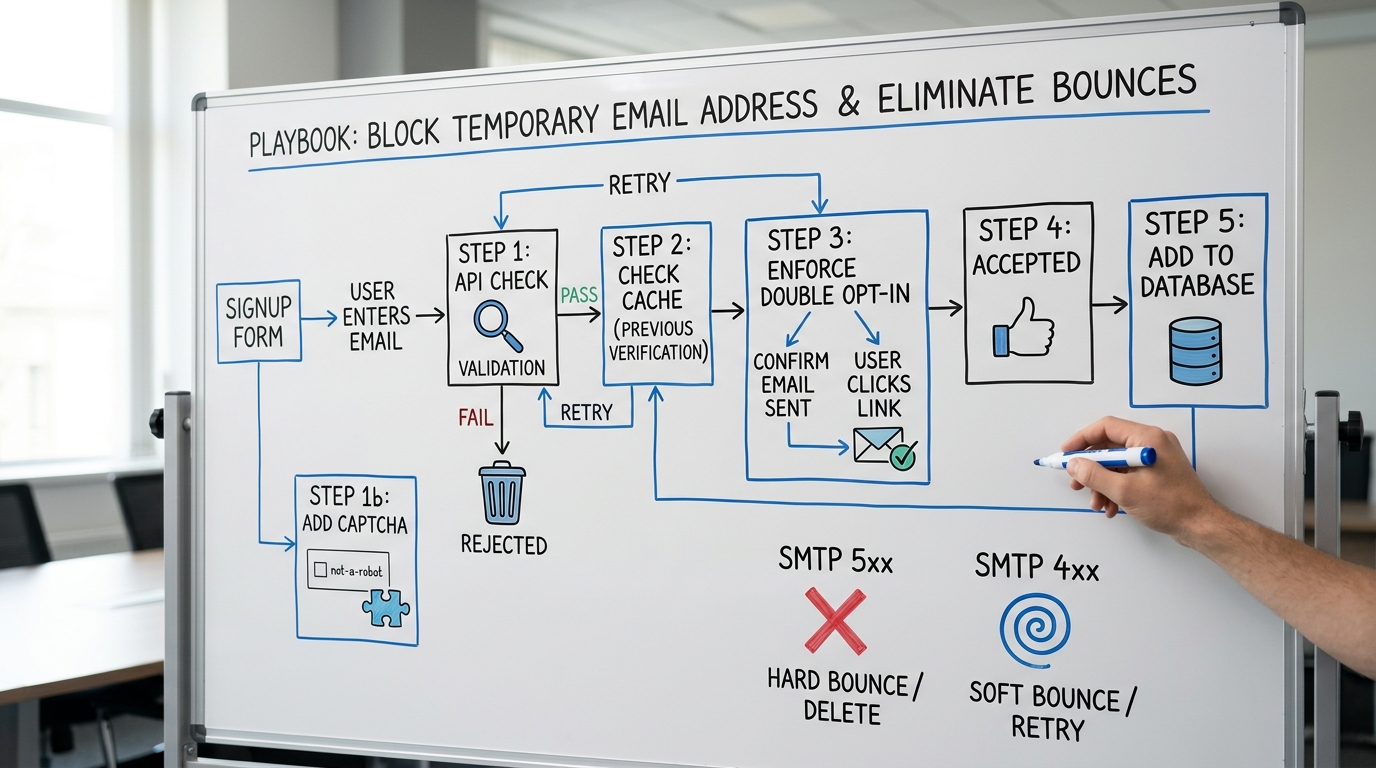
- Identify bad sources. Use UTM parameters to track which ads or landing pages are attracting the highest percentage of temporary signups.
- Integrate a real-time API. Use a service like IsFakeMail to check every email against a database of 187,000+ disposable domains at the point of entry. It is completely free and requires no API keys for normal usage.
- Enforce Double Opt-In. Send a confirmation link that the user must click before they enter your main list. This ensures the email is accessible and forces users to use an address they actually check.
- Implement CAPTCHA. Automated bots often use disposable domains to flood forms. Adding a basic challenge stops scripts from inflating your list with garbage data.
- Run quarterly bulk cleaning. Even real addresses decay by 25 percent annually. Use ZeroBounce Email Verifier to scan your entire database every three months.
Consider a developer who launches a tool that goes viral and gains 5,000 signups in a day. Because they did not filter for disposable emails, 1,200 addresses expired within hours. Their first newsletter triggered an immediate block from major ISPs, ruining months of work in a single afternoon.
- Identify high-bounce sources using UTM parameters.
- Integrate a real-time verification API on forms.
- Enable double opt-in for all signups.
- Add CAPTCHA to stop automated bots.
- Run quarterly bulk cleaning for data decay.
Rule: If you are offering a high-value lead magnet, you must use double opt-in to prevent temporary email abuse.
Common Mistakes in Managing High Bounces
Never use your first email campaign as a method to clean your list. This strategy is the fastest way to get your domain blacklisted by major providers before you even start.
Buying email lists is another fatal error for your reputation. These lists are almost always packed with deactivated accounts or temporary addresses that will bounce the second you hit send. Ignoring soft bounces is also dangerous, as they often mask underlying issues that eventually turn into hard bounces.
Pitfall: Using your email service provider as a list cleaner will get your account suspended and your domain marked as spam.
Protecting Your Domain for the Long Haul
Bounces are the canary in the coal mine for your outbound email infrastructure. A proactive defense against temporary signups ensures your marketing reach remains intact.
- If your bounce rate is <2%, maintain current hygiene and monitor your stats monthly.
- If the rate hits 3%, immediately stop sending and implement real-time validation to avoid blacklisting.
- If you offer high-value downloads, always enforce double opt-in to filter out temporary users.
Protecting your list today is the only way to ensure your emails reach the inbox tomorrow.
Frequently Asked Questions
What is the 2% bounce threshold?
The 2% threshold is the maximum acceptable hard bounce rate for a healthy email list. Exceeding this number alerts ISPs that your list acquisition practices are potentially harmful.
Why do temporary emails cause hard bounces?
Temporary emails expire after a short period, typically between 15 and 60 minutes. Once they expire, any email sent to that address results in a permanent SMTP 5xx error.
How does IsFakeMail help block bounces?
IsFakeMail provides a real-time API that checks email domains against a database of over 187,000 known disposable providers. This allows you to block signups from temporary addresses before they enter your database.
Can I use my first campaign to clean my list?
No, using a live campaign to clean a list is highly dangerous. It causes an immediate spike in hard bounces, which can lead to your domain being throttled or blacklisted by Gmail and Outlook.