Gmail Dot Trick vs. Plus Sign: How Users Create Unlimited Fake Accounts
Stop managing multiple email accounts. Learn how dots and plus signs turn one Gmail address into an infinite army of aliases for trials, tracking, and organization.
Managing separate email addresses for every trial account is a massive waste of energy. Most systems force you into a cycle of creating new accounts, verifying secondary inboxes, and losing track of where your data actually lives.
You already own infinite email addresses through your existing Gmail account. You just haven't been using the hidden syntax that bypasses sign-up restrictions and tracks every company that sells your data.
The Unlimited Alias Playbook
Gmail treats your inbox as a flexible destination rather than a rigid address. This allows you to generate endless variations without ever creating a new account.
- Periods are invisible to Gmail servers, meaning
j.doeandjdoeare identical inboxes. - Plus signs act as tags, ignoring everything between the
+and the@symbol during delivery. - Inbox automation lets you filter these specific variations into folders or the trash automatically.
How To Master The Gmail Dot Trick
The dot trick is the most subtle way to create a secondary identity. Google ignores any periods you place within your username, routing all mail to your primary inbox.
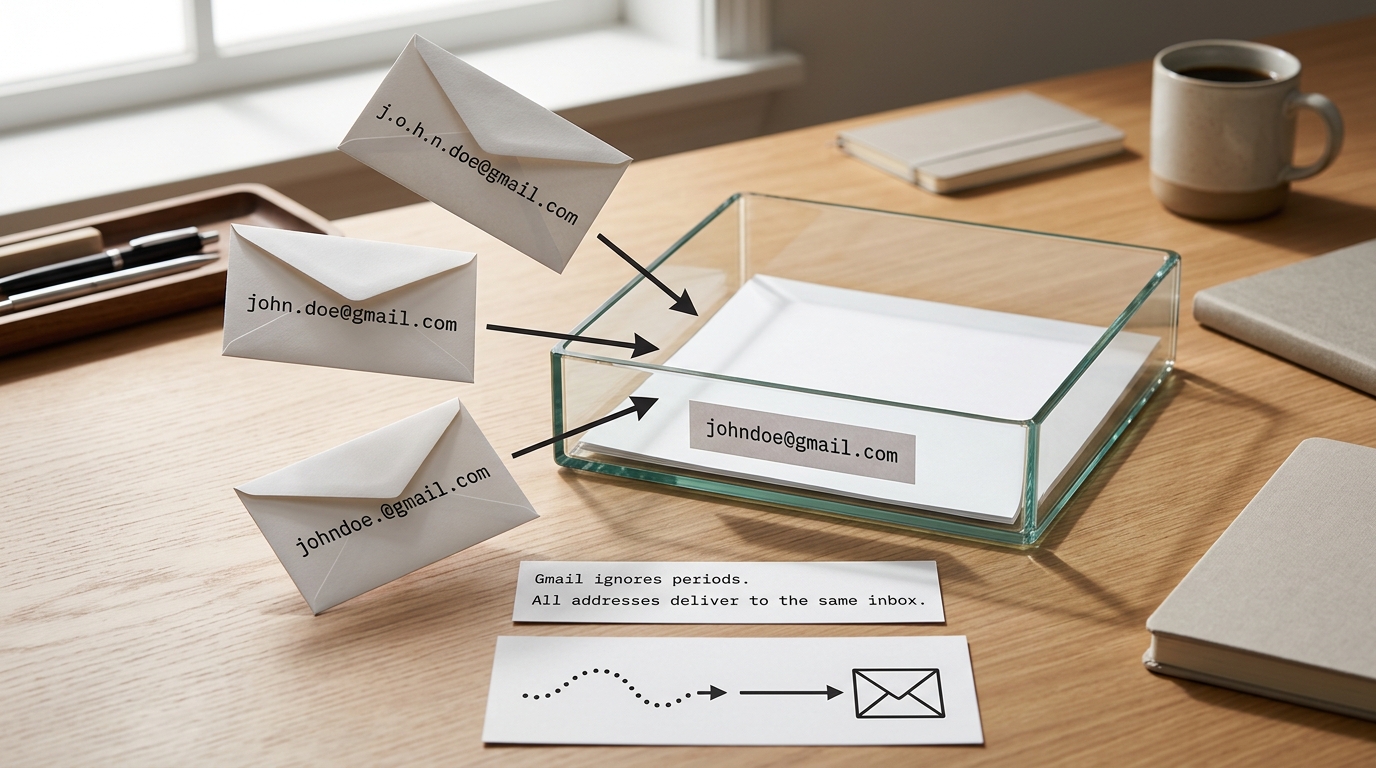
This feature exists to prevent delivery errors caused by accidental typing or common name variations. It is not a bug, but a built-in standard for personal @gmail.com accounts.
Example
If your email is user123@gmail.com, the following addresses all deliver to you:
u.ser123@gmail.comus.er.123@gmail.comu.s.e.r.1.2.3@gmail.com
Rule: Use the dot trick when a website has strict form validation that rejects special characters like plus signs.
Each of these looks like a unique user to most registration databases. This allows for unlimited trial sign-ups without the friction of managing multiple passwords or login sessions.
Deploying Plus Sign Aliases For Organization
Plus addressing, or sub-addressing, is the professional way to manage an inbox. You simply add a + followed by any word or string of numbers before the @ sign.
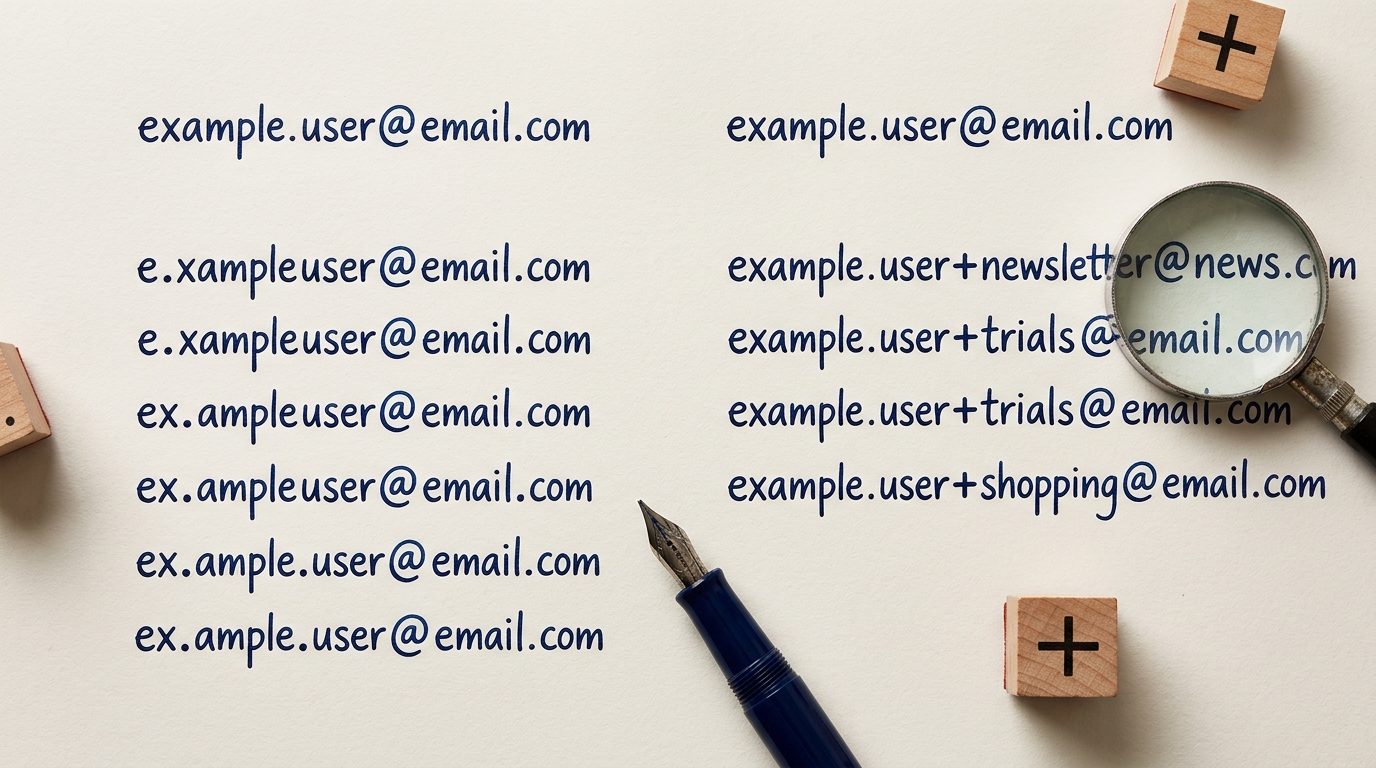
This method is highly effective for identifying who leaked your personal data to advertisers. Streak's Guide to Gmail Plus Addressing explains how these tags help you see exactly which source generated an incoming message.
Your root address remains hidden from basic scrapers, yet you maintain full control over the incoming mail flow. Some older websites use outdated regex validation and might reject the plus sign as an invalid character.
If you encounter this, switch to the dot trick. For developers trying to prevent this behavior on their own platforms, using a tool like IsFakeMail can help identify patterns in registration data.
Gmail Dot Trick vs Plus Sign: Side-By-Side
| Feature | Dot Trick | Plus Sign |
|---|---|---|
| Compatibility******* | High (Most sites accept dots) | Moderate (Some regex blocks +) |
| Visibility******* | Subtle | Explicit |
| Primary Use******* | Bypassing 'one-account' limits | Organizing and filtering mail |
| Setup Difficulty******* | Zero | Zero |
- If the website form throws an error on special characters, use the Dot Trick.
- If you need to create a specific filter for a newsletter, use the Plus Sign.
- Always use the Plus Sign for security honeytokens so you can see exactly which service leaked your address.
How To Automate Your Alias Inbox
Simply creating the alias is only half the battle. To see the real benefits, you must tell Gmail what to do when a tagged email arrives in your inbox.
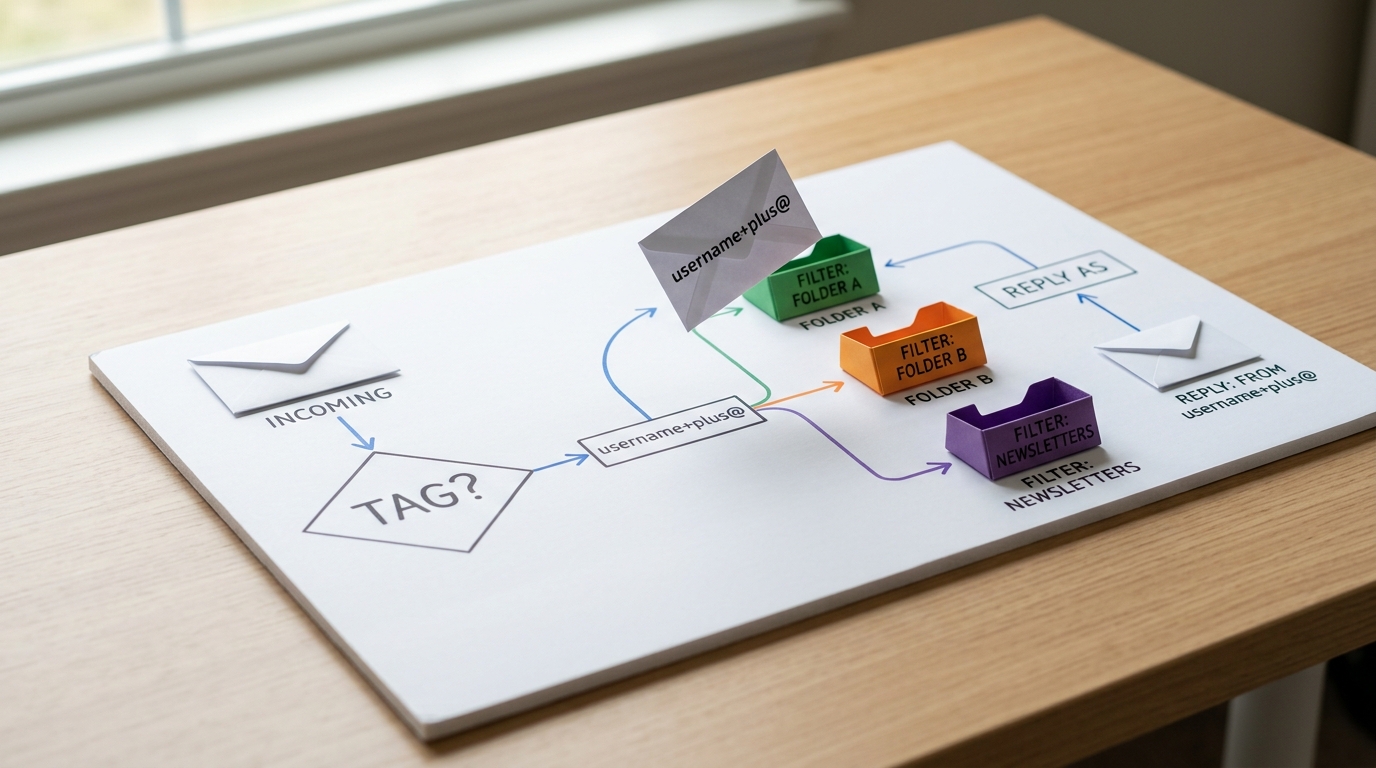
Go to your Gmail settings and navigate to the Filters and Blocked Addresses tab. You can create a rule where any mail sent to yourname+spam@gmail.com is automatically archived or labeled.
You can also reply using your alias to maintain the persona. Visit Settings > Accounts and Import > Send mail as to add your dotted or plus-sign variation as a verified sending address.
- Determine your base username.
- Create a test variation (e.g.,
user+test@gmail.com). - Send a message from a different account to verify delivery.
- Set up a custom label in Gmail for that specific variation.
- Map the alias to a filter that skips the inbox for low-priority items.
Tip: Verify your aliases by checking the 'To' field in the email header; Gmail's Official Support confirms dots don't change your identity.
3 High-Value Use Cases For Unlimited Emails
0 additional cost is required to deploy these strategies immediately.
- Trial Loop: Sign up for software trials using
j.o.h.n.doe@gmail.comto keep your primary account clean for a later permanent purchase. - Honeytoken Security: Use a unique tag like
name+bankname@gmail.comfor every financial service; if you get spam sent to that specific alias, you know that specific database was breached. - Newsletter Management: Register for all industry updates with
name+news@gmail.com. Automatically route these to a dedicated folder so they never clutter your primary workspace during the day.
The Google Workspace Warning
There is a major exception to these rules that often trips up professional users. If you use Google Workspace with a custom domain (like @yourcompany.com), dots are treated as unique characters.
An administrator must manually create aliases in the Google Admin console for dots to work on Workspace accounts. Without this manual setup, an email sent to f.irstname@company.com will bounce if the original is firstname@company.com.
Pitfall: Do not assume the dot trick works on Outlook or Yahoo; they follow different delivery logic and will treat a dotted address as a different user entirely.
Common Alias Questions
Do dots really not matter in Gmail?
Yes. Google ignores dots in the username portion of @gmail.com addresses. This was designed to prevent delivery errors from common typos.
Can I use multiple plus signs?
No. Gmail only recognizes the first plus sign and ignores everything following it until the @ symbol. Stick to one tag per address.
Is the dot trick legal?
Yes. It is a documented feature of the Gmail service. However, using it to violate a website's Terms of Service regarding multiple accounts could lead to a ban.
Why does a website say my email is invalid?
Some sites use poorly written code that doesn't recognize the + sign as a valid character. In these cases, the dot trick is your best alternative.
Does this work on mobile?
Yes. These aliases are handled at the server level. Any mail sent to an alias will show up in your Gmail app regardless of your device.
Take Control Of Your Inbox Identity
Mastering Gmail aliases turns a single inbox into a powerful command center for your digital identity. Whether you are hunting down data leakers with plus tags or simplifying trial sign-ups with the dot trick, the control is now in your hands.
Start by creating one filter today for a frequent newsletter. Once you see the automation in action, you will never go back to a standard address. Take five minutes to audit your settings and reclaim your inbox.