
Disposable Email vs. Burner Email: Key Differences You Should Know
Your inbox is under siege by spam and trackers. Understanding the nuance between disposable and burner emails is the only way to reclaim your digital privacy without losing access to your accounts.
Over half of all global email traffic is now just spam. With the average office worker buried under 121 messages every day, keeping a clean inbox is no longer just about being tidy. It is a matter of digital survival.
Most people give away their main email address to every shop and download link they find. This leaves a trail of personal data that usually ends up in a data leak. You need a buffer between your private life and the rest of the web. When deciding on a disposable email vs burner email strategy, the right choice depends on how long you need that connection to last.
The Bottom Line: Which One Do You Need?
- Disposable Email: A general term for any method that keeps your main address hidden by using secondary or temporary inboxes.
- Temp Mail: Anonymous, short-lived inboxes that delete themselves after minutes and do not need a signup.
- Burner/Alias Email: Long-term forwarding addresses that let you get and reply to mail without showing your real identity.
- Privacy Strategy: Use temp mail for one-time downloads and aliases for newsletters or accounts you want to keep for a while.
Terminology Check: The Umbrella vs. The Tool
Learning the hierarchy is the first move toward protecting your data. Think of disposable email as the category, while temp mail and burner aliases are the specific tools you pick. Disposable email is what you intend to do, while the other two are the methods you use to get there.
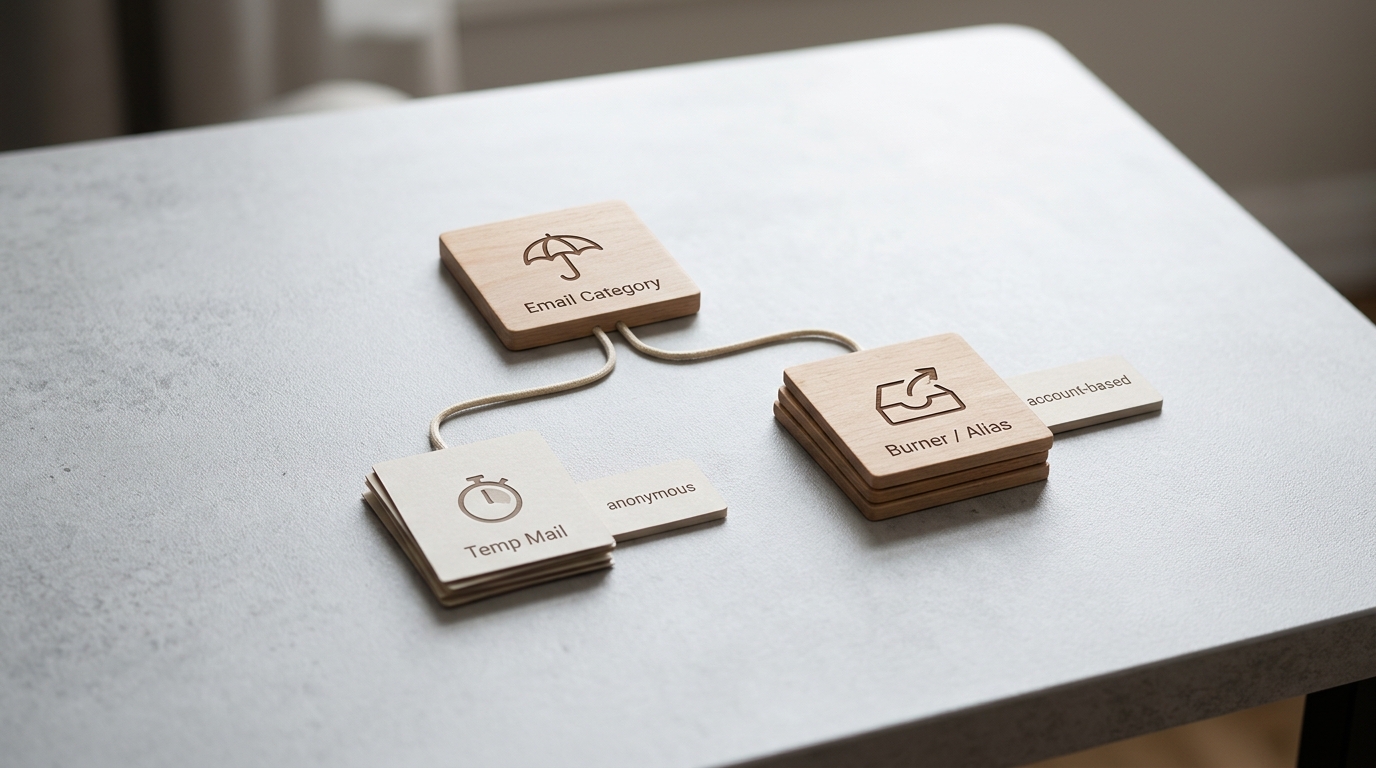
While a temporary inbox is built to vanish into thin air, a burner email is usually a lasting account or a forwarding alias. The choice depends on if you need a one-off code or a long connection to a service.
Temp Mail: The One-Time Solution
Temporary mail services give you a browser-based inbox that stays alive for a few minutes before it is gone forever. You do not need a password or a username because the site makes a random string for you. Using these services is a great way to dodge marketing junk when you just want a single download link.
Here is a look at why avoiding real addresses matters:
- 10MinuteMail Description: A classic service providing a working inbox for exactly ten minutes. Features: One-click setup, countdown timer, and ways to get more time for late mail. Verdict: Good for retail sites or content that does not need you to log in later. Implementation: Visit 10MinuteMail and copy the address into your signup form.
- Mailinator Description: A public email system where you can make any address on the fly without an account. Features: No signup, fast access, and supports thousands of different inbox names. Verdict: Handy for testing but risky because all inboxes are public and anyone can see them. Implementation: Enter any random name followed by @mailinator.com in a signup field and check it on their site.
Note: Never use these services for anything private because many of these inboxes are public and can be viewed by anyone with the link.
Burner Emails And Aliases: The Sustainable Choice
Burner emails and aliases offer a better balance between privacy and being useful. Unlike temp mail, these addresses stay active until you decide to shut them down. This lets you keep a relationship with a brand without giving them your master key. Aliases are the top choice for long-term privacy because they send mail to your real inbox without showing it.
- SimpleLogin Description: An open-source service that makes unique aliases for every website you visit. Features: Browser extension support, use your own domain, and full PGP encryption. Verdict: The strongest pick for securing your main account while staying in control of your mail. Implementation: Install the extension and click the SimpleLogin icon in any email field to make a new alias.
- Burner Mail Description: A tool focused on making email masking fast and simple for regular users. Features: Easy switch to turn off addresses, multiple custom inboxes, and a simple dashboard. Verdict: Good for people who want a simple way to manage many online identities. Implementation: Set up an account at Burner Mail and use the plugin to hide your real identity on the spot.
Rule: If you are signing up for a service you will use more than once, use a forwarding alias instead of an inbox that deletes itself.
Head-to-Head: Persistence, Functionality, and Privacy
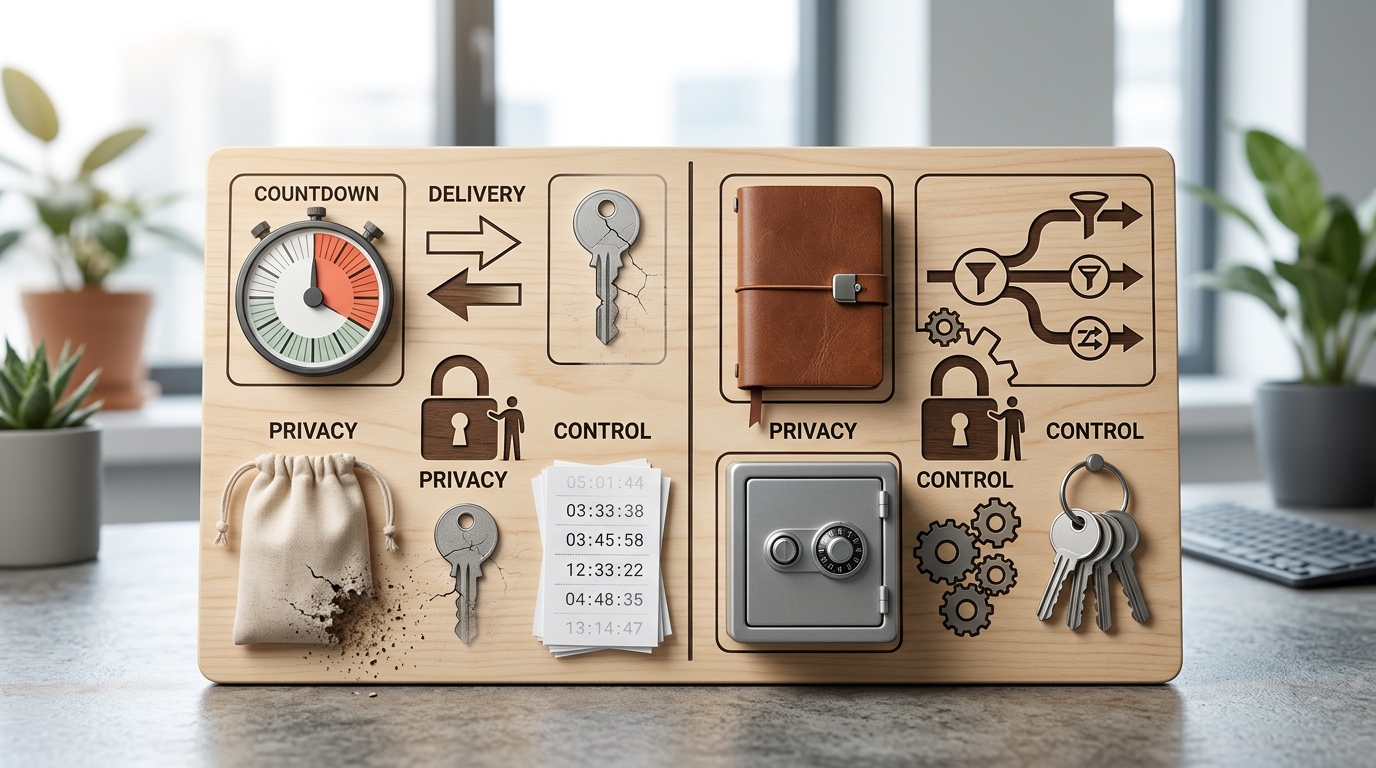
When deciding between these tools, you must weigh how long you need the address to last against how much effort you want to put into the setup. The right tool depends on the stakes of the account you are creating.
| Feature | Temp Mail | Burner/Alias Email |
|---|---|---|
| Persistence******* | Minutes to hours | Indefinite |
| Functionality******* | Receive only | Send and Receive |
| Setup******* | None | Requires account |
| Security******* | Low (Public) | High (Private) |
| Best For******* | One-time codes | Subscriptions |
The Danger Zones: When To Never Use Disposable Mail
Using the wrong type of disposable mail can lead to getting locked out of your accounts forever. Imagine a guy named Mark who used a temp mail service to join a crypto exchange. Months later, a security update required an email code for him to withdraw his money. Because the inbox had vanished, Mark lost his money entirely.
Pitfall: Using temporary mail for banking, government services, or expensive software is a recipe for disaster.
- Never use temp mail for accounts that need long-term recovery.
- Avoid using the same burner address for many high-stakes services.
- Check how long an inbox lasts before waiting for a delayed code.
- Some sites use services like IsFakeMail to block known disposable domains.
- Make sure your alias service lets you send replies if you need to talk to support.
Decision Matrix: Which One Should You Pick?
Choosing the right tool is just simple logic. If you do not care about the account five minutes from now, go with the fastest option. If the account has any value, you must use a method that lets you get back in.
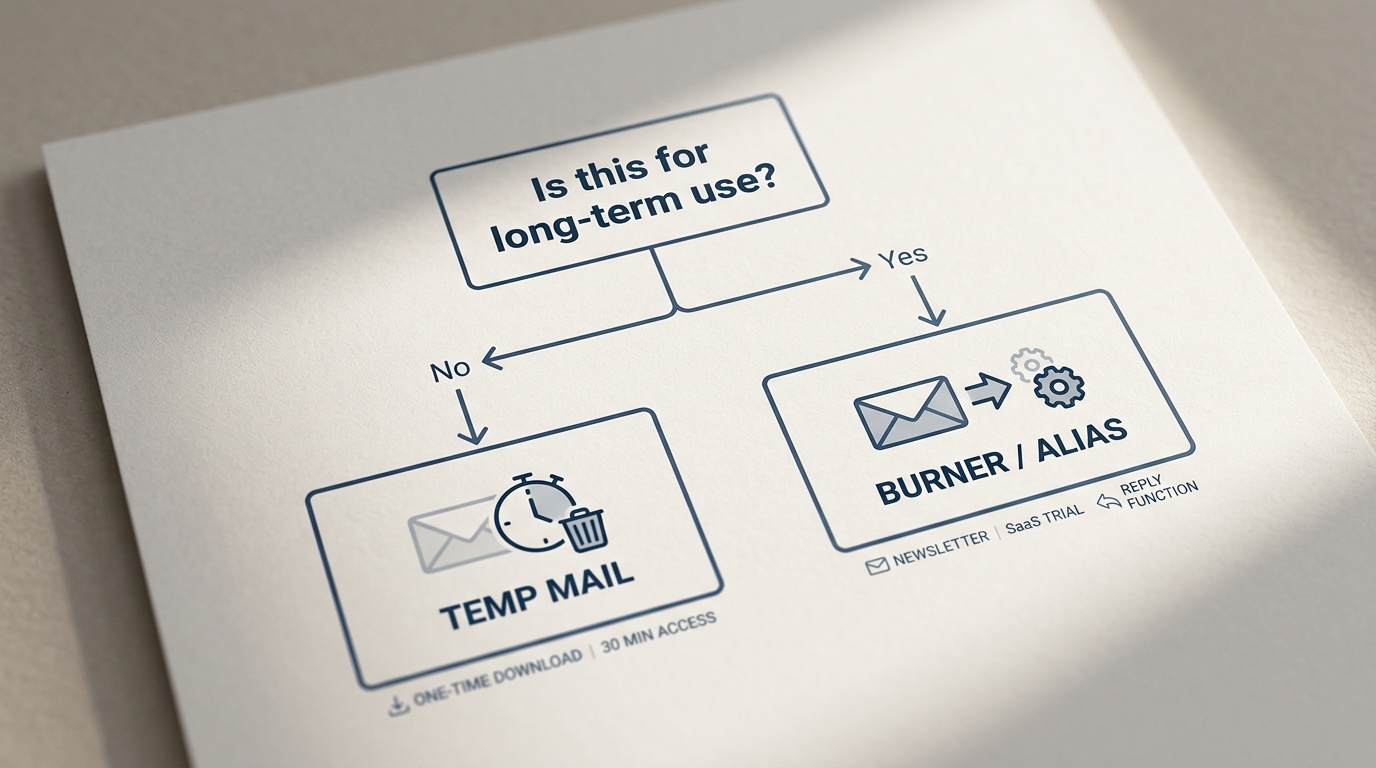
- If you need a one-time discount code: Use Temp Mail.
- If you are signing up for a newsletter: Use an Alias.
- If a site blocks disposable domains: Use a spare account on a major provider like Gmail.
- If you need to register for government or doctor portals: Use your real email.
- If you want to reply to marketing emails without being tracked: Use a Burner/Alias service.
How To Implement Your New Email Strategy
Setting up a privacy-first email plan takes less than five minutes. You just need to decide how much friction you can handle for each signup. Checking the connection is the most vital step to make sure your setup works before you use it for something important.
Example
You want to download a free ebook. You visit 10MinuteMail and copy the random address. You paste it into the form and wait 30 seconds. The download link shows up in the temp inbox, you click it, and then close the tab. Your real inbox stays clean.
- Pick your tool based on if you need a temporary inbox or a permanent alias.
- Make the address via the website or your browser extension.
- Paste that address into the signup field of the site.
- Check that the confirmation email arrived in your tool.
- Turn off or delete the address once you no longer want to hear from them.
Reclaiming Your Privacy In 2026
Privacy is something you do, not just a one-time setting. As data leaks happen more often, keeping your digital identity away from your main inbox is a must. If your email service is free, you are often paying with your personal data.
Switching to a system of aliases like SimpleLogin or even tools like Proton Pass provides a good balance of safety and ease. Stop giving out your real address to every form on the web. Start using a buffer today.
Frequently Asked Questions
Can I recover a 10-minute email address?
No. Most temporary email services are built to self-destruct. Once the timer runs out or you close the window, the data is wiped from their servers for good. Never use them for accounts you might need to visit again.
Are burner emails safe for banking?
It is not a good idea. While burner aliases are more secure than temp mail, banks and money services usually want a high-trust email address. Using an alias could set off fraud alerts or leave you unable to prove who you are during an account recovery.
Why do some websites block my burner email?
Many companies want your real data for ads and tracking. They use tools like IsFakeMail to spot domains linked to disposable services. If your address is blocked, you might need to use a spare account from a big provider like Outlook or Gmail.